
Sync TeamSnap to Google Calendar (and actually keep it updated)
TeamSnap publishes an iCal feed for every team, but Google Calendar's built-in subscribe refreshes external calendars on a delay — TeamSnap's own help docs note it can take up to 24 hours. Paste your TeamSnap calendar URL below for a preview, then sync to Google Calendar with reliable 15-minute refresh.
Why sync TeamSnap to Google Calendar?
TeamSnap's mobile app handles in-team notifications well, but the second you want a TeamSnap schedule to live alongside everything else in your family's Google Calendar — that's where Google's slow native subscribe gets in the way. CalPilot polls your TeamSnap feed every 15 minutes and rewrites events into Google Calendar as native, editable items, so a coach's last-minute time change shows up in your family calendar within minutes, not the next day.
How to find your TeamSnap subscribe link
- 1
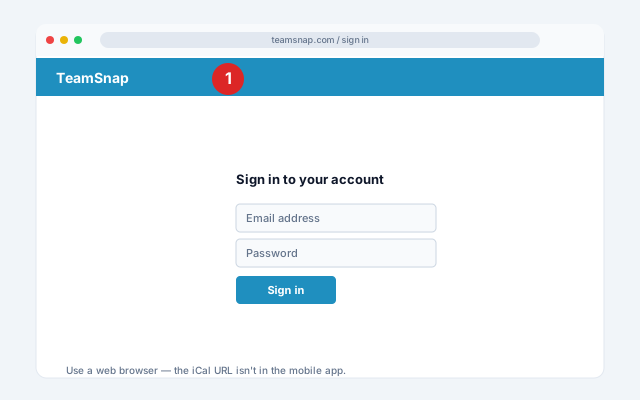
Use a web browser, not the app
Sign in at teamsnap.com — the iCal URL is only accessible via the web (TeamSnap doesn't expose it in the mobile app).
- 2
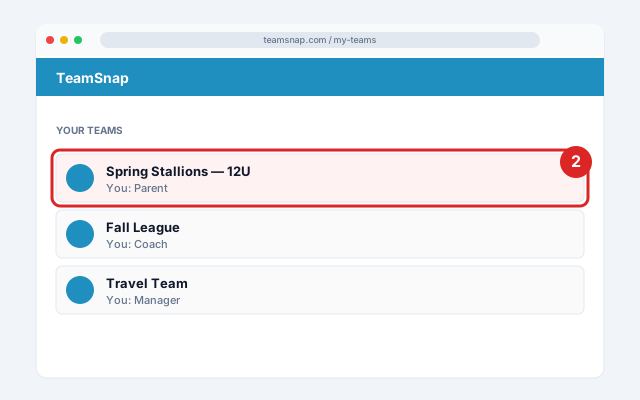
Open your team site
Click your roster name (under the team name) to enter the team site.
- 3
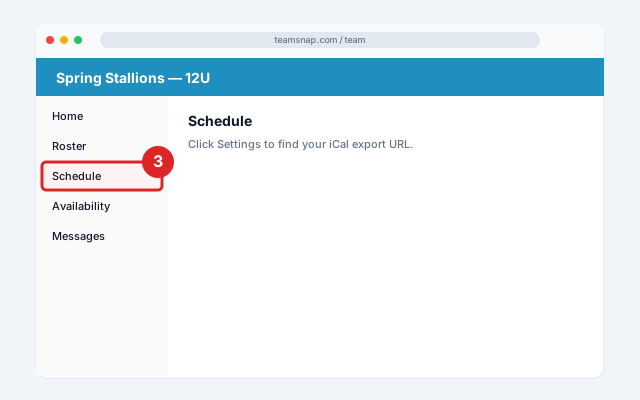
Go to Schedule
Click the Schedule tab.
- 4
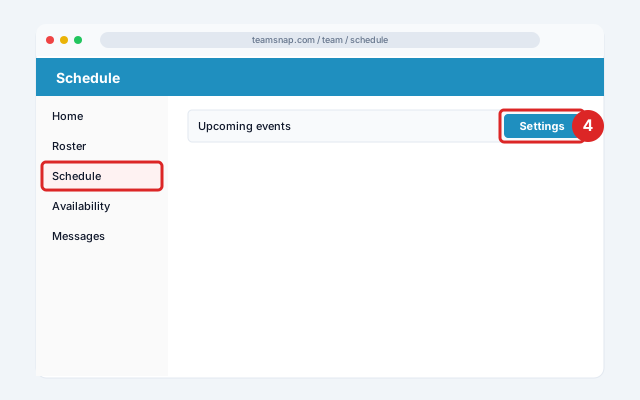
Open Settings
Click Settings at the top of the schedule.
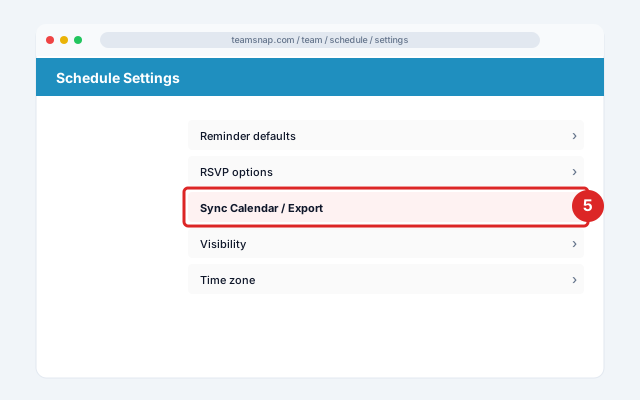
- 5
Sync Calendar / Export
Click Sync Calendar / Export.
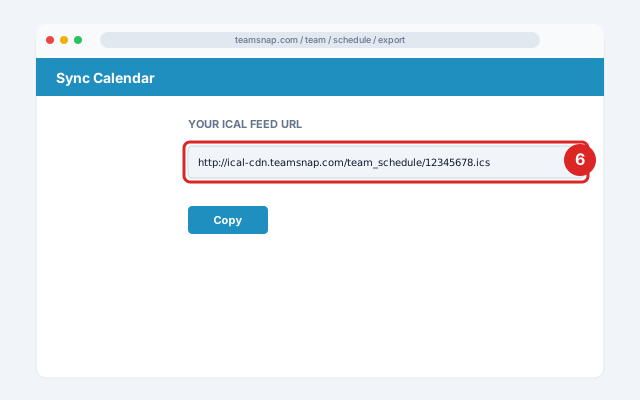
- 6
Copy the calendar link
Copy the calendar link — it'll look like http://ical-cdn.teamsnap.com/team_schedule/...ics.
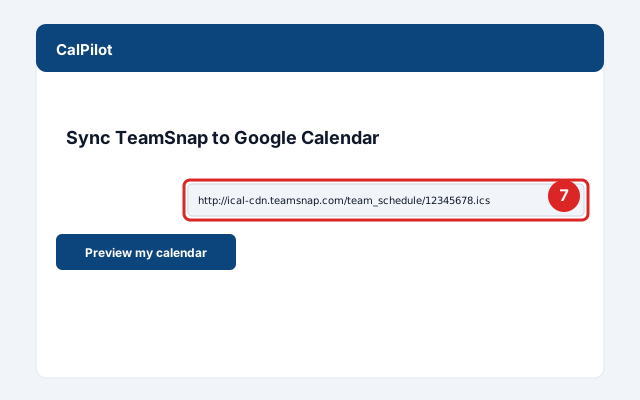
- 7
Paste into CalPilot
Paste it above to preview your next games and practices.
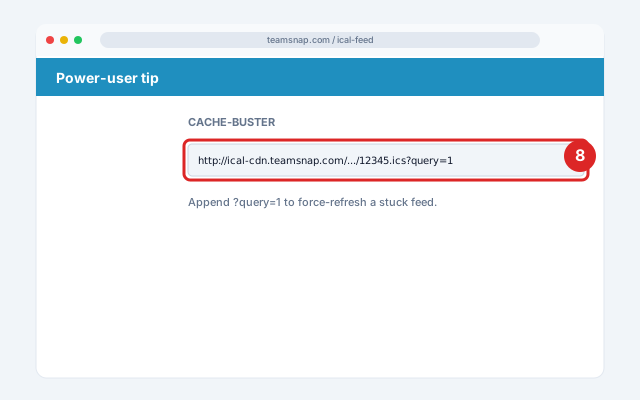
- 8
Optional power-user tip
If your TeamSnap calendar ever stops updating in Google, append ?query=1 to the URL — this is TeamSnap's documented cache-buster.
Official screenshots and the latest menu paths: TeamSnap Help Center.
Got your link? Paste it here:
Common issues and fixes
TeamSnap calendar not syncing to Google Calendar
Google's native subscribe refreshes external calendars on a 24-hour-ish cadence. CalPilot bypasses this with active polling every 15 minutes.Past games are missing
TeamSnap iCal feeds only show the past 6 months of games and all future events. Historical records require a CSV export instead.Some events have no location
TeamSnap admins must populate location fields; missing in TeamSnap = missing in any downstream calendar.Former teammates still getting reminders
They're still subscribed to the team feed in their personal calendar. Team admins can reset the team's iCal URL (forces all members to resubscribe).
Frequently asked questions
Related sync guides
CalPilot was built by Eric Weissmann — a baseball dad who got tired of retyping game schedules every week and missing rescheduled games because Google Calendar hadn't refreshed in time. More about the project.