
Sync iCloud Calendar to Google Calendar Reliably
Apple lets you publish any iCloud calendar as a webcal:// URL, which Google Calendar can subscribe to. The catch is the same as every native subscribe path: Google refreshes externally subscribed calendars on its own slow schedule (often 6–24 hours). CalPilot uses the same webcal link but refreshes every 15 minutes.
webcal:// links work — we convert them to https automatically.
Why sync iCloud to Google Calendar?
Households split between iPhones and Android tend to have one parent's life in iCloud and the family calendar in Google. iCloud's public-calendar export gives you a webcal:// URL that bridges the two — but Google's slow subscribe cycle makes it useless for anything that actually changes. CalPilot picks up the same link, polls it every 15 minutes, and keeps Google Calendar honest.
How to find your iCloud subscribe link
- 1
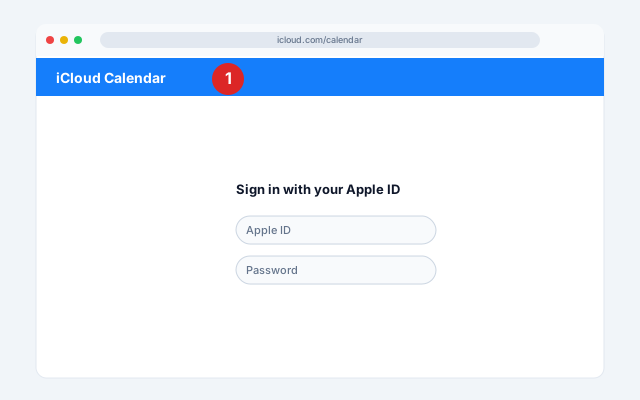
Web — open iCloud Calendar
Go to icloud.com/calendar and sign in with your Apple ID.
- 2
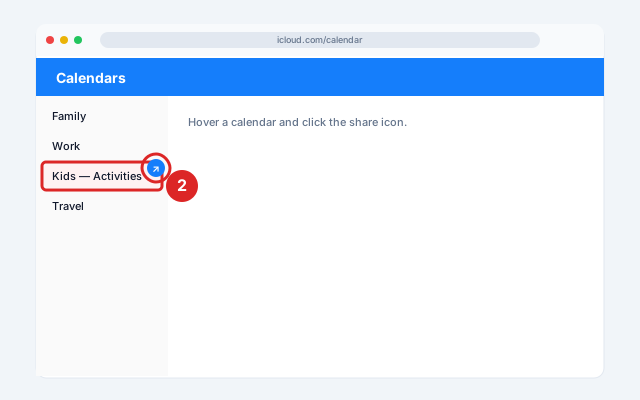
Web — hover and click the share icon
In the sidebar, hover over the calendar you want to share and click the share icon (the broadcast/person icon).
- 3
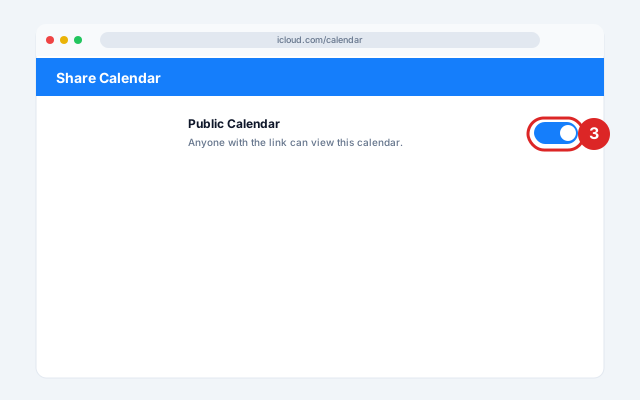
Web — toggle Public Calendar ON
Toggle Public Calendar ON.
- 4
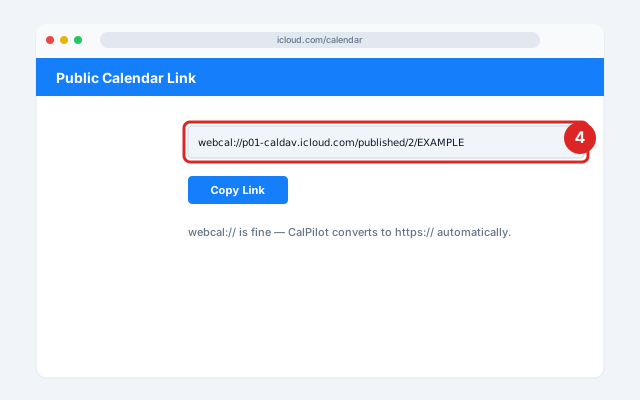
Web — copy the link
Click Copy Link — the URL starts with webcal://.
- 5
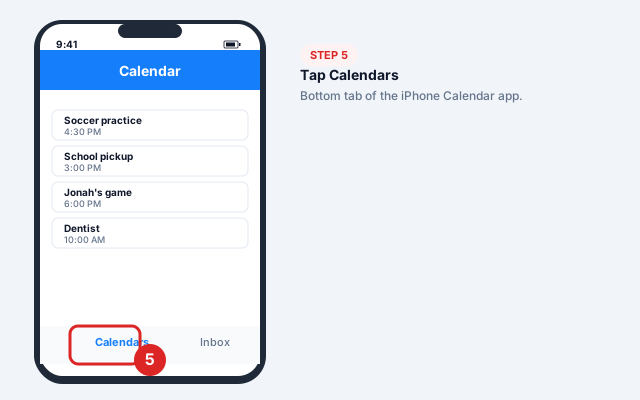
iPhone — open Calendar → Calendars
Open the Calendar app and tap Calendars at the bottom.
- 6
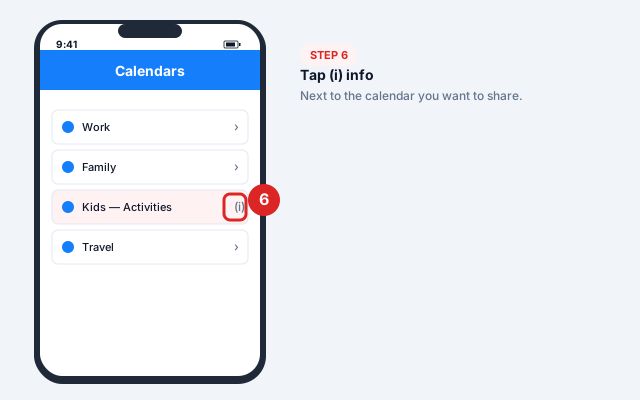
iPhone — open the (i) info
Tap the (i) info icon to the right of the calendar you want to share.
- 7
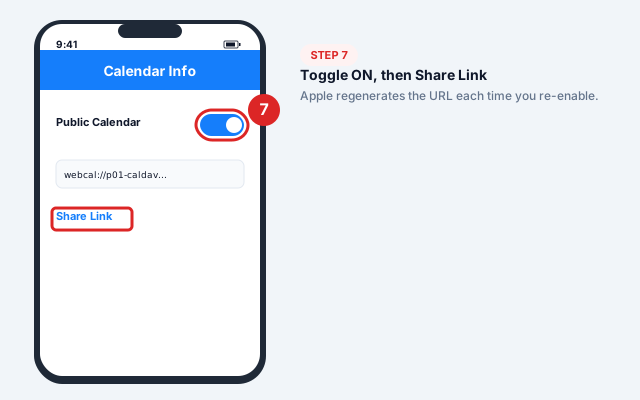
iPhone — toggle Public Calendar ON
Toggle Public Calendar ON, then tap Share Link → Copy.
- 8
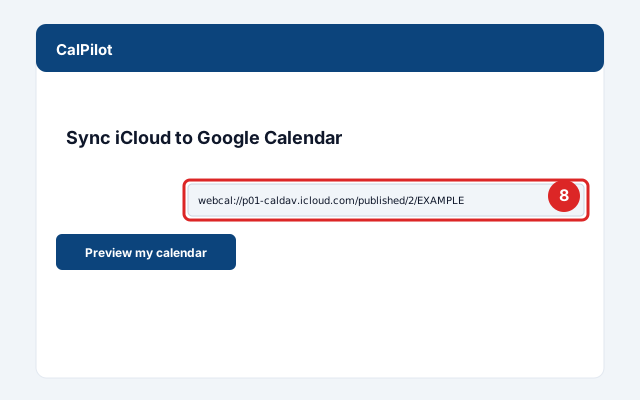
Paste into CalPilot
Paste the webcal:// URL above. (No need to manually convert to https:// — CalPilot handles that.)
Official screenshots and the latest menu paths: iCloud Help Center.
Got your link? Paste it here:
Common issues and fixes
Webcal link won't work in Google Calendar
Google needs HTTPS, not webcal. Either change webcal:// to https:// manually, or paste into CalPilot, which handles it automatically.If I turn Public off and back on, the link changes
Apple regenerates the URL when you re-enable Public Calendar. Update CalPilot with the new link. Don't toggle this off-and-on casually.Family Sharing calendar isn't in the list
Family calendars need to be set to Public by the calendar owner, not just a participant.Events appear 1 day off
Usually a timezone mismatch between the iCloud account and Google Calendar default. Set both to the same timezone.
Frequently asked questions
Related sync guides
Outlook
Publish your Outlook calendar once, then see your work meetings in your personal Google Calendar — read-only, no credentials.
GameChanger
Baseball, softball, and Game Stream apps — 15-minute refresh, no more missed rainouts.
TeamSnap
Find the iCal URL TeamSnap hides on the web, then mirror it in 15 minutes — not 24 hours.
CalPilot was built by Eric Weissmann — a baseball dad who got tired of retyping game schedules every week and missing rescheduled games because Google Calendar hadn't refreshed in time. More about the project.