
Sync GameChanger to Google Calendar — Automatically
GameChanger has a calendar subscribe feature buried in the team gear menu, but Google Calendar's native subscribe path can lag by 12–24 hours, so rescheduled games show up late. Paste your GameChanger link below — we'll mirror it into your Google Calendar and re-check every 15 minutes so changes appear immediately.
webcal:// links work — we convert them to https automatically.
Why sync GameChanger to Google Calendar?
If you've ever shown up to a cancelled game because Google Calendar hadn't refreshed yet, you've hit the core GameChanger problem: the app publishes a subscribe URL, but Google only re-reads external feeds on a slow, opaque schedule. For a baseball or softball parent juggling weather call-offs, makeup games, and tournament bracket shuffles, the lag is the whole problem. CalPilot polls your GameChanger feed every 15 minutes and rewrites events into your Google Calendar as native, editable items — so a 6pm rainout shows up in your calendar by 6:15, not the next morning.
How to find your GameChanger subscribe link
- 1
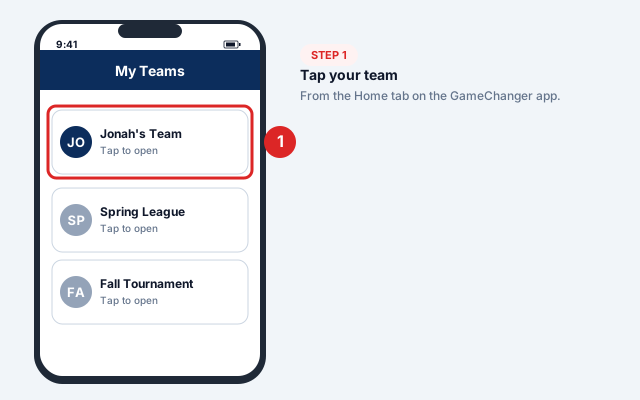
Open your team
Open the GameChanger app and tap your team from the Home tab.
- 2
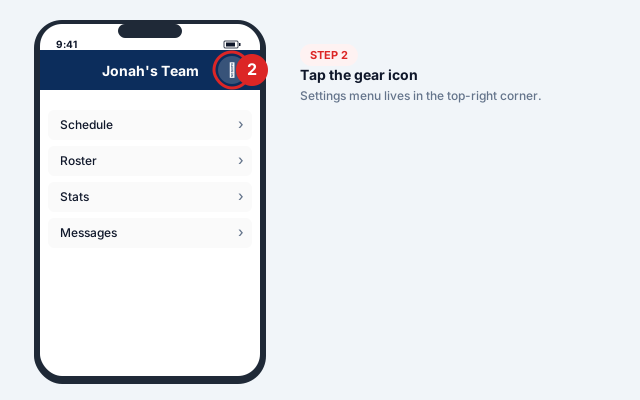
Tap the gear icon
Tap the gear icon in the top-right corner of the team page.
- 3
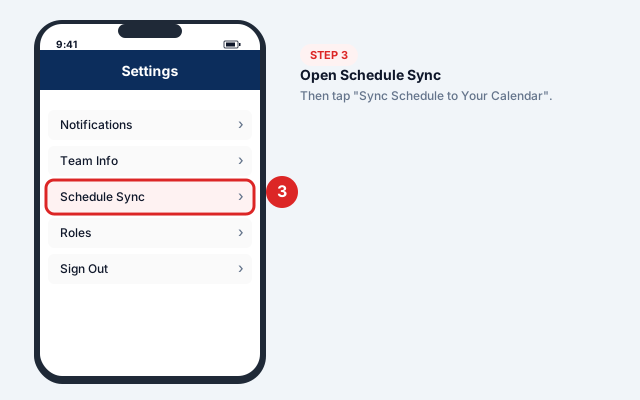
Open Schedule Sync
Tap Schedule Sync, then tap Sync Schedule to Your Calendar.
- 4
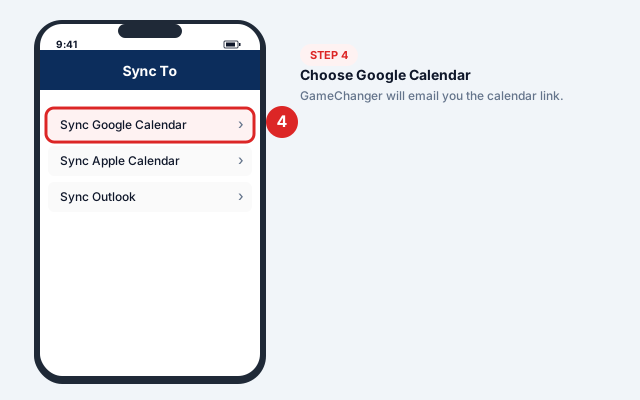
Choose Google Calendar
Tap Sync Google Calendar (or Sync Apple Calendar if you'd rather sync to iCloud first).
- 5
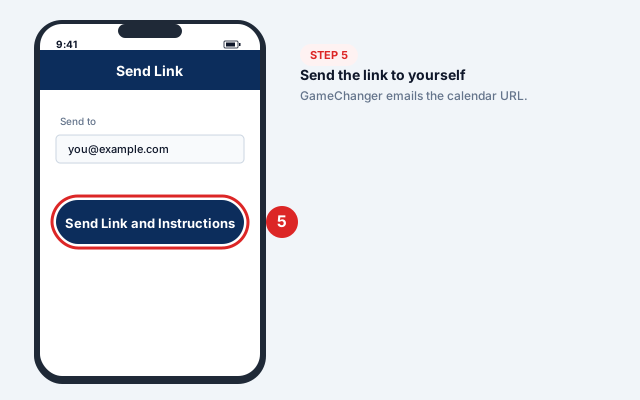
Send the link to yourself
Tap Send Link and Instructions — GameChanger emails you the calendar URL.
- 6
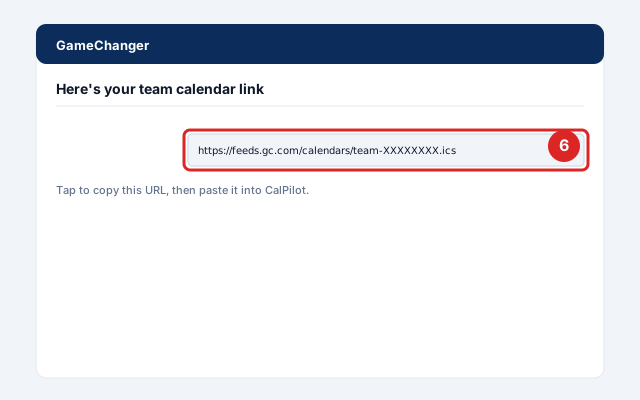
Copy the calendar URL
Open the email, copy the calendar URL (starts with https:// or webcal://).
- 7
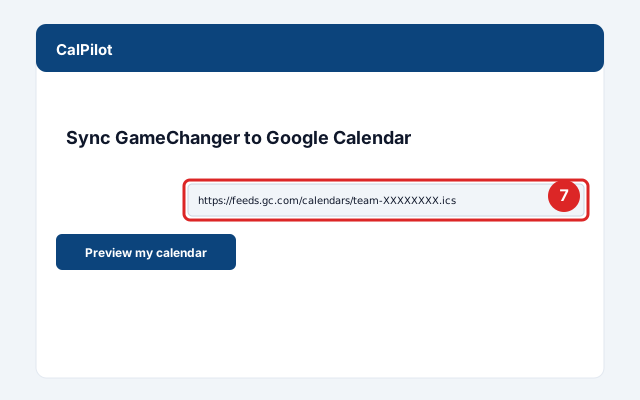
Paste into CalPilot
Paste it into the box above — you'll see your next 10 games before signing up.
Official screenshots and the latest menu paths: GameChanger Help Center.
Got your link? Paste it here:
Common issues and fixes
GameChanger calendar not syncing
Native Google subscribe refreshes every 24+ hours regardless of what GameChanger publishes. CalPilot's 15-minute refresh fixes this.Fans only see games, not practices
GameChanger limits Fan-role users to game schedules only. Family or Staff roles see everything.I don't see Schedule Sync in the menu
Update the app — the option moved in 2023 when GameChanger Classic was phased out. The old version had it under a different menu.Cancelled games still show up
GameChanger marks games CANCELED rather than removing them. CalPilot can optionally filter these out (paid plan).
Frequently asked questions
Related sync guides
CalPilot was built by Eric Weissmann — a baseball dad who got tired of retyping game schedules every week and missing rescheduled games because Google Calendar hadn't refreshed in time. More about the project.